The Original Gay Porn Community - Free Gay Movies and Photos, Gay Porn Site Reviews and Adult Gay Forums

  • Welcome To Just Us Boys - The World's Largest Gay Message Board Community

    In order to comply with recent US Supreme Court rulings regarding adult content, we will be making changes in the future to require that you log into your account to view adult content on the site.
    If you do not have an account, please register.
    REGISTER HERE - 100% FREE / We Will Never Sell Your Info

    PLEASE READ: To register, turn off your VPN (iPhone users- disable iCloud); you can re-enable the VPN after registration. You must maintain an active email address on your account: disposable email addresses cannot be used to register.

Bloody DVD tray won't stay shut!

Kulindahr

Knox's Papa
JUB Supporter
50K Posts
Joined
Jan 15, 2006
Posts
123,005
Reaction score
4,595
Points
113
Location
on the foggy, damp, redneck Oregon coast
Here's how it goes: I watch a movie, when it's done the tray pops out, I remove the disk, push the tray back in, and before I have the disk in its case, the tray pops out.

I get no message indicating why. So I push it back in, and within fifteen seconds it's popped itself back out. I can play this game for hours.

I hunt all through the system, and there's no place at all I can find any controls where I might click a button that says, "Keep your bloody tray in until I ask for it!"

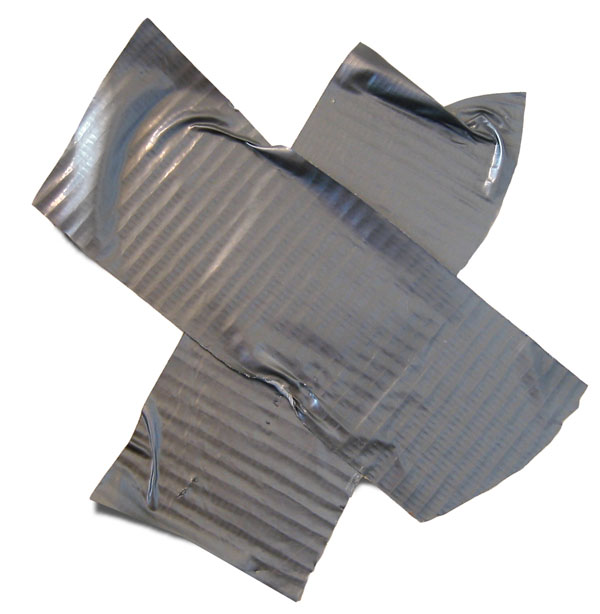
At the moment, for safety, I have it taped shut with electrical tape. Now it just hums and beeps every few minutes.

I thought about gluing an old disk in and using it for a beverage holder. Before I go that far....

anyone have a clue how to cast out the demon and tame the beast?


This is a Gateway NV59 laptop with Win7.
 
If you can remove the faceplate of the drive, take a look and see if there's something that may be causing the micro-switch to trip causing the disk to eject. If everything looks clear, leave the faceplate off for a bit and test to see if everything works. It may be keeping the eject button depressed. Whilst the cover is off, use a toothpick or something like that to trip the switch if you have to open it.
 
I had the opposite problem. My tray wouldn't stay open. I opened it, blew into it hard as someone here suggested, and let it close. I repeated that one more time. It stayed open the third time and it's been working fine since then.

You might be having a similar problem with dusty sensors.
 
I had the opposite problem. My tray wouldn't stay open. I opened it, blew into it hard as someone here suggested, and let it close. I repeated that one more time. It stayed open the third time and it's been working fine since then.

You might be having a similar problem with dusty sensors.

"Dusty Sensors" -- sounds like a name for a character in a tongue-in cheek story.... :D


I'll give the "blow job" approach a try.
 
Let the drive open, then remove the drive. Take a peek around the faceplate. It is most likely just held in-place with plastic snaps.

Also, with it out and open, depress the eject button and listen for its actuation. Then close it and see if you can still hear it clicking. If yes for both, reinstall and see if it will still click. This may let you know if the tray is binding on the case.
 
Let the drive open, then remove the drive. Take a peek around the faceplate. It is most likely just held in-place with plastic snaps.

Also, with it out and open, depress the eject button and listen for its actuation. Then close it and see if you can still hear it clicking. If yes for both, reinstall and see if it will still click. This may let you know if the tray is binding on the case.

I didn't pay much attention to this because the problem went away for a while. It's doing it again, though. I tried the air spray thing, but no joy.

I don't even see a way to remove the drive -- the case is solid right up to the drawer.

Oddly, when I tip the laptop at a 45° or better angle, the drawer doesn't open.

As for the eject button, it doesn't make a sound -- not sure if it ever did. For that matter, if I'm watching a movie, pressing it doesn't eject.
 
^ most players interrupt the eject signal whilst the drive is in-use.

Most drives can be released by removing the keyboard and one typically finds the screws whose removal is needed to release the drive.
 
45° angle with the drive facing up or down?
 
ducttape.jpg
 
Drive facing up, draw up.

Though with the TV off and listening closely, I think I'm hearing a click that means it's trying to open. Can it be that it's so weak the tilt keeps it shut?

possibly. But then it wouldn't work and read the cd. Those drives also have a sensor that realizes when the motor is working against a resistance, like a stuck cd or a finger in the try. Then they will reopen the drive to free the blocking object. Sometimes the material can get weak and the plastic bend down a bit, meaning that it can't close properly. Try if it closes if you lift the tray only very slightly with your finger while the tray is closing. Also check if there is no dust or anything else BEHIND the fronpanel/ridge of the tray.
 
possibly. But then it wouldn't work and read the cd. Those drives also have a sensor that realizes when the motor is working against a resistance, like a stuck cd or a finger in the try. Then they will reopen the drive to free the blocking object. Sometimes the material can get weak and the plastic bend down a bit, meaning that it can't close properly. Try if it closes if you lift the tray only very slightly with your finger while the tray is closing. Also check if there is no dust or anything else BEHIND the fronpanel/ridge of the tray.

Drat.

I tried lifting as it closed -- gave it three tries, but no joy.

I also used canned air to spray out anything on the back of the drawer front, top and bottom, plus the spaces those slide into -- also no joy. So by now I've blown out any dust in anywhere I can aim the air.

Maybe I should just get some stick-on velcro and make a strap to hold it in.
 
Back
Top