The Original Gay Porn Community - Free Gay Movies and Photos, Gay Porn Site Reviews and Adult Gay Forums

  • Welcome To Just Us Boys - The World's Largest Gay Message Board Community

    In order to comply with recent US Supreme Court rulings regarding adult content, we will be making changes in the future to require that you log into your account to view adult content on the site.
    If you do not have an account, please register.
    REGISTER HERE - 100% FREE / We Will Never Sell Your Info

    PLEASE READ: To register, turn off your VPN (iPhone users- disable iCloud); you can re-enable the VPN after registration. You must maintain an active email address on your account: disposable email addresses cannot be used to register.

Can you config so Quick Time opens video file? default video player

m1thousand

JUB Addict
Joined
Jun 28, 2013
Posts
6,651
Reaction score
148
Points
63
Location
Vancouver area
Hi
I would like to configure Quick Time so I select the video file and select 'open' and Quick Time opens the video

Right now, I have to 'select video' > right click and choose 'open with' > choose 'Quick Time'

I would like Quick Time to be my default player. Is this possible?

Thanks
 
Which operating system and version?
 
Windows button>Settings>Apps>Default Apps

If you have QuickTime installed. you should be able to change the video file types to QuickTime by clicking on the the tile to the right of the file types (e.g. mp4, avi, et al).
 
KaraBulut,
Thank you for your help.

I have some other things I would like help with . . .

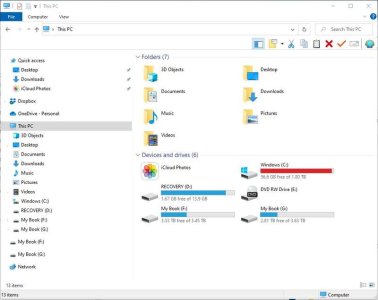
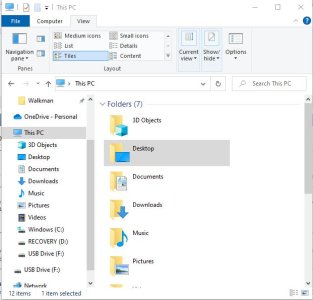
Explorer on my laptop look different than on my desktop computer. I dont want the pane on the right hand side of the image. I would like to have just two sides to Explorer. Is this something that changes with newer versions or does it stay the same? I tried to match up the buttons at the top but I didnt get it to work


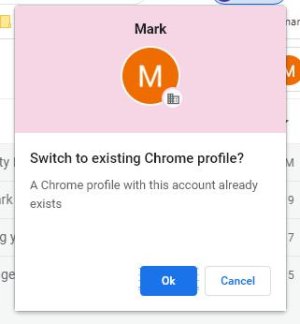
Also, I dont like Google Chrome profiles. I dont know which one to pick? Do I choose 'ok' or 'cancel'? Im asking because sometimes Google comes back with a bunch (thousands) of bookmarks and not the bookmarks as I recently organised it.

Thank for any or all help ;-)


attachment.php


attachment.php


attachment.php


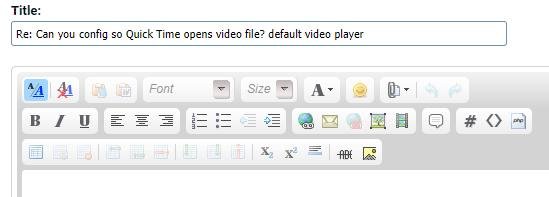
I have one other question. I just discovered how to post the images but I manage attachments. When the post is done, I click on the image and get the image address by right clicking and adding the image as a photo. How is it properly done? Ive never know
 

Attachments

  • EEXX.jpg
    EEXX.jpg
    43.8 KB · Views: 90
  • explorer.jpg
    explorer.jpg
    40.1 KB · Views: 87
  • explorer001.jpg
    explorer001.jpg
    12.4 KB · Views: 87
Last edited:
KaraBulut,
Explorer on my laptop look different than on my desktop computer. I dont want the pane on the right hand side of the image. I would like to have just two sides to Explorer.
That extra panel to the right looks like either the detail or preview pane. With Explorer open, look under "View" on the toolbar to see if the Preview Pane or Details Pane is selected. I think you can also use ALT+P and ALT+SHIFT+P to toggle it back and forth.


I have one other question. I just discovered how to post the images but I manage attachments. When the post is done, I click on the image and get the image address by right clicking and adding the image as a photo. How is it properly done? Ive never know
That is what I generally do when I want to display the full-size image instead of a thumbnail. The other method I use is to upload the image to a public album on my profile- the album gives the bbcode to use. I use the album method for some of the COVID-19 thread graphics because the thumbnails aren't of much use on the posts.


Also, I dont like Google Chrome profiles. I dont know which one to pick? Do I choose 'ok' or 'cancel'? Im asking because sometimes Google comes back with a bunch (thousands) of bookmarks and not the bookmarks as I recently organised it.
Several of the browsers have an option to store your bookmarks (favorites) on their server as a central location. I don't use these features since I want different lists on different computers, so someone who uses these features might be able to answer the question better.
 
KaraBulut,
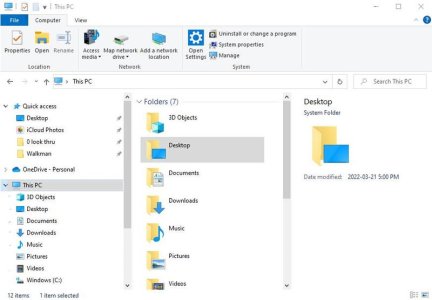
Thank you for help with Quick Time and removing the third pane. I changed it and it looked like this

attachment.php


I didnt quite follow you regarding . . .
" I use is to upload the image to a public album on my profile- the album gives the bbcode to use"

Are you uploading photos to your public album and you arent in a thread at the time? I dont see where I get the bbcode from

You helped two of my peeves so thank you very much ;-)
 

Attachments

  • explorer 004.jpg
    explorer 004.jpg
    16.3 KB · Views: 16
  • explorer 3.jpg
    explorer 3.jpg
    44.5 KB · Views: 79
Last edited:
...I didnt quite follow you regarding . . .
" I use is to upload the image to a public album on my profile- the album gives the bbcode to use"

Are you uploading photos to your public album and you arent in a thread at the time? I dont see where I get the bbcode from...
There's three ways to post an image:
  1. From a website with the IMG tag and the URL.
  2. As an attachment to the post, using the ATTACH tag.
  3. As an image unloaded to JUB's servers into your profile album, using the IMG tag with the URL of the album image. If you add an album and upload an image, in the lower right hand corner, there will be a box labeled "bbcode" that will have the bbcode with the IMG tag. You can copy/paste this bbcode into your post which makes it easier to reference images that are loaded into your gallery.
 
I feel stupid ;-) (You have to understand, I made 'how to post photos' at another forum. I was 'the guy' to ask when you wanted to know how to post photos)

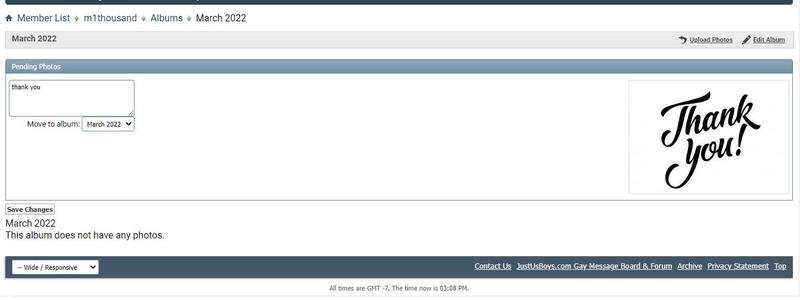
I went to my profile, and went to the album, and it looks like as if I was posting within a message . . . I didnt see bbcode in the lower right hand corner.

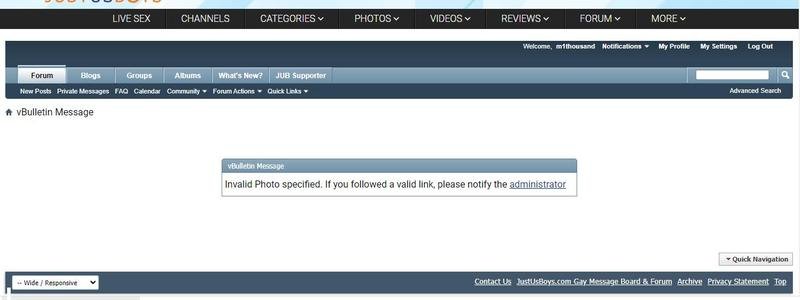
I saw this, and then this, when I clicked on the image


attachment.php


attachment.php
 

Attachments

  • thank you 01.jpg
    thank you 01.jpg
    22.6 KB · Views: 66
  • thank you 002.jpg
    thank you 002.jpg
    26.1 KB · Views: 63
Last edited:
I feel stupid ;-)
No, no... please don't feel that. The teacher in me always tries to think about other members who read these posts and may later use them as references on "Ways to post an image". Sometimes I even refer to these old posts to refresh my memory.

I went to my profile, and went to the album, and it looks like as if I was posting within a message . . . I didnt see bbcode in the lower right hand corner.

I saw this, and then this, when I clicked on the image
You didn't have a public album, so I wasn't sure if you had any images saved in a private album, but yes- one of the helpful features of the album software is that when you look at an image, the bbcode is composed for you and can just be copied/pasted, saving time.
 
You didn't have a public album, so I wasn't sure if you had any images saved in a private album, but yes- one of the helpful features of the album software is that when you look at an image, the bbcode is composed for you and can just be copied/pasted, saving time.

That’s new for me. I didn’t know you could do that. Thanks!
 
No, no... please don't feel that. The teacher in me always tries to think about other members who read these posts and may later use them as references on "Ways to post an image". Sometimes I even refer to these old posts to refresh my memory.


You didn't have a public album, so I wasn't sure if you had any images saved in a private album, but yes- one of the helpful features of the album software is that when you look at an image, the bbcode is composed for you and can just be copied/pasted, saving time.

Sorry, I wasnt serious about feeling stupid. In the past, I made many tutorials and I didnt feel stupid. Its been awhile since I made tutorials

Thanks for your help !!
 
I dont want to start another thread. Ive been 'out of the loop' for awhile, regarding computers . . .

Can you suggest a good, free file duplicator (finds duplicate files)? Thanks

A good video convertor. Thanks ;-)
 
I dont want to start another thread. Ive been 'out of the loop' for awhile, regarding computers . . .

Can you suggest a good, free file duplicator (finds duplicate files)? Thanks
There's several recommendations here:
https://www.techpout.com/best-free-duplicate-file-finder-remover/

A good video convertor. Thanks ;-)
If you're looking for something that is free and does basic conversion between formats or processes subtitles - Handbrake.
https://handbrake.fr/
 
Thank you Karabulut
I was using Duplicate File Finder and the license expired. But I could still use it, for example, if I have 50 duplicate photos in two folders, Duplicate File Finder shows the folders where the duplicates are.
I can do one of two things. Cut and paste the photos into the other folder and 'overwrite' when prompted. Or delete the duplicate folder (if I know there are no other files that will get deleted.

I use to use a file converter. I forget the name. I have Handbrake installed but I hadnt thought of using it, but I will so thank you ;-)

I bookmarked the tech link.
 
Thank you Karabulut
I was using Duplicate File Finder and the license expired.
I used to use a program called Duplicate Files Finder that was written back in 2008 by Matthew Boehm. It did the job of finding the duplicate files well.

I switched to using a different utility that produced a list of the duplicate files and then had the ability to compare them, delete them, etc from the list that it produces.
 
A new question / same thread . . .

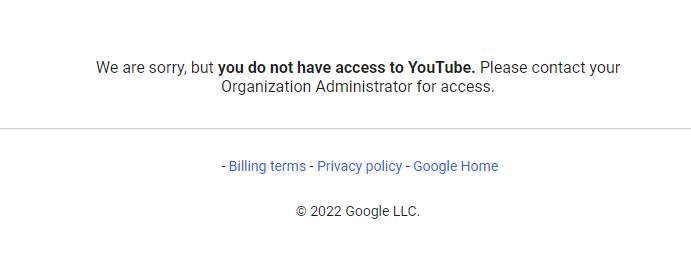
I cant sign into youtube when the content is mature (not necessarily racy content). I get this message . . .

jakGKYh


I posted a message on youtube but it was deleted. Im probably not the first person asking what is going on

Does anyone have an idea how to fix this?

Thanks
Mark
 
A new question / same thread . . .

I cant sign into youtube when the content is mature (not necessarily racy content). I get this message . . .

attachment.php


I posted a message on youtube but it was deleted. Im probably not the first person asking what is going on

Does anyone have an idea how to fix this?

Thanks
Mark

youtube error.jpg
 
Last edited:
I used to use a program called Duplicate Files Finder that was written back in 2008 by Matthew Boehm. It did the job of finding the duplicate files well.

I switched to using a different utility that produced a list of the duplicate files and then had the ability to compare them, delete them, etc from the list that it produces.

Karabulut,
I just tried Duplicate Files Finder. I like it. I would have like a preview window, but that's o.k.

I have Duplicate File Finder, which I thought this was, but there is a 's' that makes it a different program (Duplicate File Finder versus Duplicate Files Finder)

Thanks ;-)
 
Back
Top