The Original Gay Porn Community - Free Gay Movies and Photos, Gay Porn Site Reviews and Adult Gay Forums

  • Welcome To Just Us Boys - The World's Largest Gay Message Board Community

    In order to comply with recent US Supreme Court rulings regarding adult content, we will be making changes in the future to require that you log into your account to view adult content on the site.
    If you do not have an account, please register.
    REGISTER HERE - 100% FREE / We Will Never Sell Your Info

    PLEASE READ: To register, turn off your VPN (iPhone users- disable iCloud); you can re-enable the VPN after registration. You must maintain an active email address on your account: disposable email addresses cannot be used to register.

yahoo email

  • Thread starter Thread starter agayguy
  • Start date Start date
A

agayguy

Guest
Hi!
I have noticed that in my Yahoo Email, the emoticons will no longer insert in my messages. Has anyone else seen this happen lately? Any suggestions? Thanks.
 
I just checked. I have two Yahoo Accounts -

1. My "real" Yahoo Account @yahoo.com - I logged into it and set up and e-mail, the emoticon inserted just fine.

2. My ISP subcontracts the e-mail out to Yahoo @Frontiernet.net, so the front end looks slightly different - I logged into it, set up an e-mail, and it worked just fine there, too.

Maybe you need to check for updates? Do you have the Yahoo toolbar? I have the Frontier-Yahoo Tool bar installed.
I don't know if that makes any difference or not, just trying to give you possibilities.
 
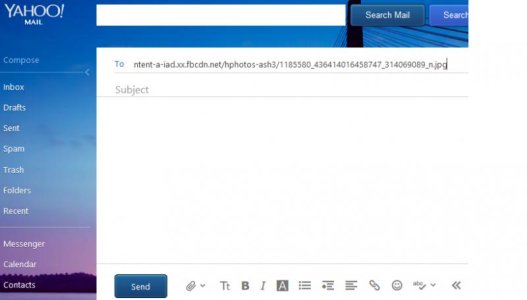
I noticed today that my Yahoo email looks differently and is set up differently on my two laptops. It looks one way one on one computer and another way on the second computer. On the old laptop the version of Yahoo mail has the emoticons on the top of the message box- on that computer, the emoticons work fine. However, on the laptop that I use the most, the emoticons are on the bottom of the message compose box. That is the machine that the emoticons do not work anymore. I would appreciate input from anyone who can assist. Thanks!!! :-)
 
Yahoo Mail Screen Shot.jpg

This is what my Yahoo proper e-mail looks like that I tested last night and the emoticons worked on.

Maybe you need to upgrade your browser?
I'm using FireFox, just for reference.
 
I noticed today that my Yahoo email looks differently and is set up differently on my two laptops. It looks one way one on one computer and another way on the second computer.

Are you running the same operating system (your Windows version), browser (like IE, Chrome, Firefox, Opera, etc.) and browser versions (which version of your browser?) between the two laptops? It might be JavaScript settings or something else specific to your browser on the one machine (like security level, or simply just which browser you're using and its default handlings) or your antivirus, security/firewall, etc. software. As DonQuixote points out, a toolbar or browser add-on can always be helping or interfering - if it's Yahoo's toolbar, or if it's a competing one, and this installation may be different between your computers.

Also, are you on Classic or "new" Yahoo mail? This thread describes how to check, as well as get the behavior back, and might help with your issue, too. I would think Yahoo would store your choice against your profile so any machine you sign onto would remember that choice, so I'm not thinking your problem is that one of your laptops is accessing in Classic/Basic view vs. their "new" view, but start by checking some of the various differences in your two systems suggested in my paragraph above.
 
P.S.
The emoticons work fine in Firefox. Thanks! Problem solved. :gogirl:
 
That will be $99.50 for the service call, lol.

Glad you got is sorted out.
 
Back
Top