Re: Atlanta - Pride - The Orion - July 4th - 6th!
Great pictures g-money.
I'm sure you already told someone this but how the fuck do you post the pictures and make them big instead of just thumbnails. I was half understanding of what you said when you said how to do that.
Or maybe that was gentry or jav who said that. Damn anyways how you do it >_>'
(1) You "MANAGE ATTACHMENTS" (in the "attach files" subsection, when you "Go Advanced" in making a post) by clicking on that button, and it will let the JUB site select whatever photo you've decided to save on your computer.
(2) When you click the "MANAGE ATTACHMENTS" button, you'll get a screen which includes five "BROWSE" buttons. Hit the first one, and it takes you into your computer. Find the picture you want to put in your post by clicking onto that file in your computer. The "BROWSE" box will show the name of your file.
(3) You can post more than one picture, by repeating the process with the other four BROWSE buttons. (I'm not yet sure how people get more than five pictures into their posts.)
(4) Click UPLOAD, and JUB will upload the picture to its site. At that point, it is stored at JUB and you'll need to create the link to it, doing these steps:
(5) You will see the picture or pictures listed as attachments, showing the name of the file. RIGHT CLICK on that link shown.
(6) At the bottom of the drop-down menu that shows up, you will see PROPERTIES. Click on that, and it will give you the entire URL for where the picture is stored on JUB.
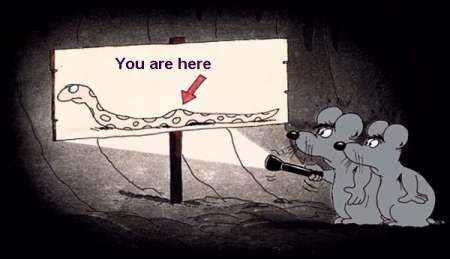
(7) Highlight the URL that shows up when you clicked Properties, but do not copy the ENTIRE URL. Stop the highlighting where the six-digit number ends at the first ampersand (& sign). (As an example, the You Are Here picture I'll upload here, the ENTIRE JUB URL shows up as follows:
https://forums.justusboys.com/attachment.php?attachmentid=235590&stc=1&d=1215497909
HOWEVER, I will use only THIS PART of the URL:
https://forums.justusboys.com/attachment.php?attachmentid=235590
[EDIT: bugger, it doesn't actually allow me to display all the typing in my post, so I can't really show you.]
(8a) Click on the picture-postcard logo, which will bring up a small box, into which you'll paste the highlighted URL (stopping at 235590). Then click OK, and it will show up in your post.
(8b) Alternately, you can do
There are no spaces between the brackets, and the beginning and end of the URL.
Post it, and you've got the picture...