The Original Gay Porn Community - Free Gay Movies and Photos, Gay Porn Site Reviews and Adult Gay Forums

  • Welcome To Just Us Boys - The World's Largest Gay Message Board Community

    In order to comply with recent US Supreme Court rulings regarding adult content, we will be making changes in the future to require that you log into your account to view adult content on the site.
    If you do not have an account, please register.
    REGISTER HERE - 100% FREE / We Will Never Sell Your Info

    PLEASE READ: To register, turn off your VPN (iPhone users- disable iCloud); you can re-enable the VPN after registration. You must maintain an active email address on your account: disposable email addresses cannot be used to register.

  • Hi Guest - Some things to know about this forum:
    If you're new, please read the Posting Guidelines. Banned content is in "List of Content Never Allowed on JUB".
    The most important thing to know: images of persons under 18 years old are never allowed here. If you cannot verify that the person in the picture is 18 years or older, don't post it.

Google Image Search (Or how to identify models)

XYZZY01

Slut
Joined
Jul 15, 2005
Posts
248
Reaction score
1
Points
0
I have a folder of images I like, and there are some for which I don't know the model or photographer. I had been using TinEye to identify them with some success. (The TinEye site will show you any other pages with the same photo on them, and sometimes those pages will identify the model or photographer, or perhaps give you more photos of the same model.)

But the other day someone here mentioned that Google Image Search can do the same thing, so I've been trying it. It's even better; Google Image Search will find the same photo even if it's been cropped differently, or another face is pasted over the real one (as long as the rest of the body is the same) or if there is a caption in the photo. And of course Google has crawled much more of the web than anyone.

So now I've identified a good number of the unknown models in my folder. Now it's not perfect. It won't magically tell you everything about a photo. But sometimes it will give you a link to a page that identifies the model.

This page explains how to use Google Image Search.

 
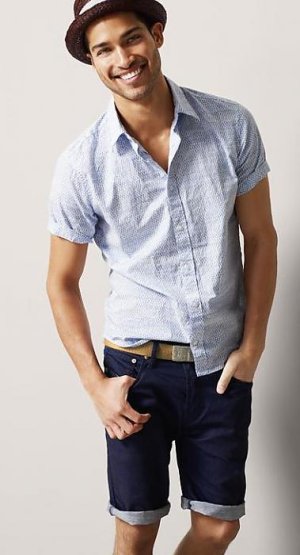
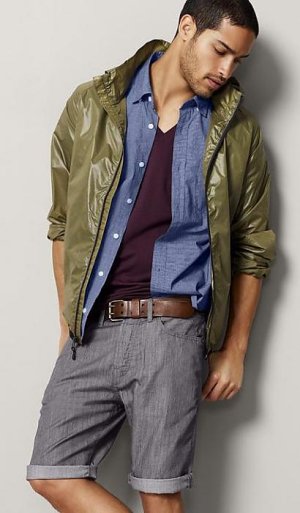
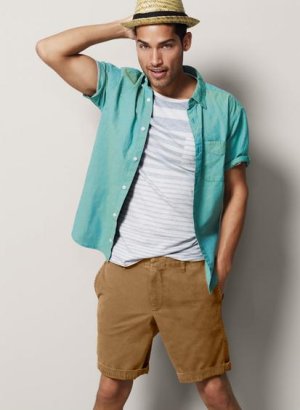
^ Thanks, I never know this function existed. Although I just used it, I'm still unable to find out who this GAP model is....
 

Attachments

  • gap.jpg
    gap.jpg
    44.8 KB · Views: 82
  • gap3.jpg
    gap3.jpg
    25.4 KB · Views: 58
  • gap4.jpg
    gap4.jpg
    35.9 KB · Views: 121
  • gap5.jpg
    gap5.jpg
    40.8 KB · Views: 58
  • gap6.jpg
    gap6.jpg
    23 KB · Views: 49
Well, in that sort of case, perhaps there was some publicity when he was hired as the new model. So I tried a Google News Search on "new Gap models" but the problem is that gap is too common a word, so you get lots of uninteresting results.

Do we want to expand this thread to discuss more generally how to identify photos?

For example, I don't bother to do much research on the photos that are obviously self portraits using a cell phone camera and a mirror, or the ones that are candid shots of some random guy on the beach. There is little likelihood that you can find out anything about the guy.
 
Thanks for the info.

I'm using Google Chrome and there was an app for Chrome that lets you just right click the picture and an image search.

There was one for firefox, too.
 
Yes, but the Firefox plug-in isn't compatible with Firefox 5.0.
 
I have a folder of images I like, and there are some for which I don't know the model or photographer. I had been using TinEye to identify them with some success. (The TinEye site will show you any other pages with the same photo on them, and sometimes those pages will identify the model or photographer, or perhaps give you more photos of the same model.)

But the other day someone here mentioned that Google Image Search can do the same thing, so I've been trying it. It's even better; Google Image Search will find the same photo even if it's been cropped differently, or another face is pasted over the real one (as long as the rest of the body is the same) or if there is a caption in the photo. And of course Google has crawled much more of the web than anyone.

So now I've identified a good number of the unknown models in my folder. Now it's not perfect. It won't magically tell you everything about a photo. But sometimes it will give you a link to a page that identifies the model.

This page explains how to use Google Image Search.

I just discovered the thing last week, by accident. I was dragging an image from one folder to another over the browser and a window popped up with 'drop image here' and eureka! I've also been busy identifying my unknowns.

Thanks for the link to the directions. I hadn't figured out how to use a url instead of dragging an image.

Being able to give it a hint is also a boon.
 
Damn! Looks like I'm out of a job! :( ;) :lol:

It ain't that good. It's only when compared to Tineye that it seems wonderful. And so many people post porn guys' images without names that even with a lot of results you can come away empty handed. Still, since discovering it I've whittled one list from almost 120 down to 83.
 
Joe, I was trying to be funny. I meant that as more and more people learn about Google Image Search there'll be less work for me to do in ID help/Info request threads :D

I agree about Tineye. When I first found out about that it was a little bit of help as, like you and XYZZ01 and others no doubt, I have a folder of "unknowns". I did get a lot of help with IDs when I first joined JUB, but not all of the mystery men I posted could be identified. So, as I said, Tineye was helpful but learning about Google's feature has been of greater help to me and I've also been able to come up with answers for others, which I enjoy very much :mrgreen: But you're right, it's not perfect and still often leaves me frustrated and without answers :(
 
Back
Top