The Original Gay Porn Community - Free Gay Movies and Photos, Gay Porn Site Reviews and Adult Gay Forums

  • Welcome To Just Us Boys - The World's Largest Gay Message Board Community

    In order to comply with recent US Supreme Court rulings regarding adult content, we will be making changes in the future to require that you log into your account to view adult content on the site.
    If you do not have an account, please register.
    REGISTER HERE - 100% FREE / We Will Never Sell Your Info

    PLEASE READ: To register, turn off your VPN (iPhone users- disable iCloud); you can re-enable the VPN after registration. You must maintain an active email address on your account: disposable email addresses cannot be used to register.

How to post large pics in JUB forums

biff30xx

JUB Addict
Joined
Feb 14, 2011
Posts
7,543
Reaction score
2,732
Points
113
Location
London, UK
If you pop over to the 'Gay Sex and Hot Men' forum and click on Kory Kong, you'll see a succession of large pics, some the full-width of the screen. However, my own contributions of pics, as per the latest entry there, are all much smaller, so I'd appreciate a tutorial on how to post large ones similar to those already shown.

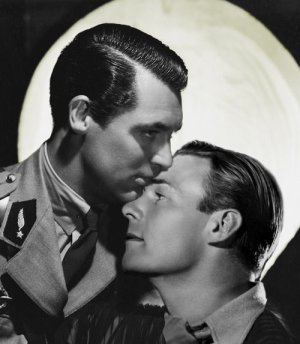
I've a desk-top computer (tower and monitor) and am still on Windows 7, which is due to be withdrawn next year. My three browsers are Google Chrome, Firefox and Internet Explorer. Here, just as an example of the size I get when I click the 'insert image' icon, is a pic of Hollywood actors Gary Grant and Randolph Scott in the 1930s when they evidently weren't too shy about their relationship ... ;) ...

cary grant and randolph scott.jpg

Thanks for any helpful advice on big pics insertions!
 
You are posting 'attachments', meaning that you are uploading saved images on your computer to your Jub account and JUB is displaying them as clickable 'thumbnails'. JUB had image size limits. The larger Kory images are linked to an offsite Tumblr account.

If your 'saved' images are from Tumblr, instead of saving them, link to them directly. You can do that by pointing at the image, clicking the Right mouse button, and selecting 'Copy Image Location' in the pop-up menu. Paste that link into your post. Repeat for additional images.

There is a way to show 'attachment' thumbnails full size, but it's a little more complicated.
 
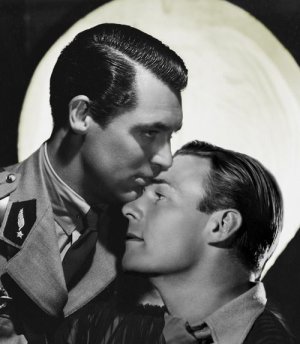
Thanks gsdx ... As you rightly surmised, I right-click an image and save it to my Pictures file. It's from there that I then 'insert' it in here. My previous posting was done in Google Chrome. This time however, I'm in Internet Explorer where I can 'insert' the image by uploading it from my pics file in the same way. If I then go to the 'advance' setting and right click the pic, and then click 'Copy shortcut' and wrap the 'img' tags round the text that appears, I get a larger pic but also an unnecessary smaller 'attached thumbnail' underneath it, as below.

The images I used in the Kory thread were saved into my pics file by means of a 'Snipping Tool' which I use all the time to save pics from assorted sites. So I don't save them from any Tumblr site. I'd be happy enough with the large pics I get when using Internet Explorer (example below). The question is: how do I get rid of the 'attached thumbnail' underneath it?! ...


attachment.php
 

Attachments

  • cary grant and randolph scott.jpg
    cary grant and randolph scott.jpg
    40 KB · Views: 49
If I then go to the 'advance' setting and right click the pic, and then click 'Copy shortcut' and wrap the 'img' tags round the text that appears, I get a larger pic but also an unnecessary smaller 'attached thumbnail' underneath it, as below.

That was the "more complicated" bit I mentioned. Glad you figured it out.

By the way, nice pic of Cary and Randolph. ..|
 
Back
Top